Remote Firebird 4/5 Update Workshop
(German-language version below)
In successful workshops with our customers, we have perfected the solution to all conversion problems to such an extent that we can also implement your requirements quickly and flexibly via online training.
With our experience, we can support you as a user or developer to implement all the necessary steps for a successful upgrade of your Firebird 2.x-based application so that it can also run with Firebird 4 or 5.
We know how to convert your database and create a powerful Firebird 4/5 server configuration with maximum compatibility with your existing application.
Prepare your database for Firebird 4/5 compatibility
Each server-based object, for example stored procedures, triggers, UDFs etc., is automatically verified and you will receive useful tips on how to prepare your existing Firebird 2.x metadata for later conversion in the production system.
You will also receive an introduction to a new Firebird setup and learn how to install a secondary, newer parallel Firebird server version on your or your customers' database server while the existing installation is still in production.
Even rolling out an automated update to hundreds or thousands of customer installations is possible without any manual installation using our IBExpert OEM technology.
We know what can happen and our setup offers all your customers an automated upgrade. If everything has worked well, they can start working with the new Firebird database server instance.
However, if something unexpected happens, you will receive a detailed log, but the existing setup will still be available.
This allows you to decide whether a manual setup is required or whether the automated update process needs to be improved.
Test your application for Firebird 4/5 compatibility
The basic workshop lasts approx. 2 days and includes an analysis of the existing system as well as a backup/restore of all required data on the new Firebird server.
To avoid wasting time waiting for the backup/restore, we usually offer our workshops in a 4x4 hour format.
You will be surprised how quickly we can get your application up and running with the new Firebird 4/5 database as the backend.
Our setup utilises several available compatibility configuration parameters, so that you can continue to enjoy all the benefits of the new Firebird versions and achieve significantly better performance, especially under high load, in multi-user installations.
Further support
Once the conversion is complete, we can also offer customised support to create an IBExpert OEM-based upgrade module, which you can deliver to all your customers with your next update.
If your customers complain about the speed of your software, we can also train your team to use the IBExpert Benchmark, analyse the results and communicate the often very poor results to your customer, who is responsible for the hardware chosen for the Firebird server.
And finally, almost any software can benefit from a thorough examination regarding poor database design and bad SQL statements.
We can show you how to locate such issues and help you improve the performance of your software.
For an offer, please contact us with the subject "Remote Firebird 4/5 Update Workshop" with a brief description of your current products and your team: register@ibexpert.net.

Remote Firebird 4/5 Update-Workshop
In erfolgreichen Workshops mit unseren Kunden haben wir die Lösung aller Konvertierungsprobleme soweit perfektioniert, dass wir auch Ihre Anforderungen schnell und flexibel via Online-Schulung umsetzen können.
Mit unserer Erfahrung können wir Sie als Anwender oder Entwickler dabei unterstützen, alle erforderlichen Schritte für ein erfolgreiches Upgrade Ihrer Firebird 2.x-basierten Anwendung umzusetzen, sodass diese auch mit Firebird 4/5 ausgeführt werden kann.
Wir wissen, wie Sie Ihre Datenbank konvertieren müssen, um eine leistungsstarke Firebird 4/5-Serverkonfiguration mit maximaler Kompatibilität mit Ihrer bestehenden Anwendung erstellen.
Bereiten Sie Ihre Datenbank auf die Kompatibilität mit Firebird 4/5 vor
Jedes serverbasierte Objekt, zum Beispiel Stored Procedures, Trigger, UDFs usw., wird automatisch überprüft und Sie erhalten nützliche Hinweise, wie Sie Ihre vorhandenen Firebird 2.x-Metadaten kompatibel für die spätere Konvertierung im Produktionssystem vorbereiten.
Außerdem erhalten Sie eine Einführung in ein neues Firebird-Setup und erfahren, wie Sie eine sekundäre neuere Firebird-Serverversion auf Ihrem oder dem Datenbankserver Ihrer Kunden parallel installieren, während es sich noch in der Produktion mit der bestehenden Installation befindet.
Selbst die Einführung eines automatisierten Updates auf Hunderten oder Tausenden von Kundeninstallationen ist mithilfe unserer IBExpert OEM-Technologie ohne eine manuelle Installation möglich.
Wir wissen, was passieren kann und unser Setup bietet allen Ihren Kunden ein automatisiertes Upgrade. Wenn alles gut funktioniert hat, können sie mit der neuen Firebird-Datenbankserverinstanz arbeiten.
Sollte jedoch etwas Unerwartetes passieren, erhalten Sie ein detailliertes Protokoll, aber das bestehende Setup ist weiterhin verfügbar.
Somit können Sie entscheiden, ob ein manuelles Setup erforderlich ist oder der automatisierte Update-Prozess verbessert werden muss.
Testen Sie Ihre Anwendung auf Firebird 4/5-Kompatibilität
Der Basis-Workshop dauert ca. 2 Tage und beinhaltet eine Analyse des bestehenden Systems sowie ein Backup/Restore aller erforderlichen Daten auf dem neuen Firebird-Server.
Um Zeitverschwendung beim Warten auf das Backup/Restore zu vermeiden, bieten wir unsere Workshops in der Regel im 4x4-Stunden-Format an.
Sie werden überrascht sein, wie schnell wir Ihre Anwendung mit der neuen Firebird 4/5-Datenbank als Backend zum Laufen bringen.
Unser Setup nutzt mehrere verfügbare Kompatibilitätskonfigurationsparameter, sodass Sie weiterhin alle Vorteile der neuen Firebird-Versionen nutzen und insbesondere bei Mehrbenutzerinstallationen eine deutlich bessere Leistung, insbesondere unter hoher Last, erzielen werden.
Weiterer Support
Sobald die Konvertierung abgeschlossen ist, können wir auch individuelle Unterstützung bei der Erstellung eines IBExpert OEM-basierten Upgrade-Moduls anbieten, das Sie mit Ihrem nächsten Update an alle Ihre Kunden ausliefern können.
Sollten sich Ihre Kunden über die Geschwindigkeit Ihrer Software beschweren, können wir Ihr Team auch im Umgang mit dem IBExpert Benchmark schulen, die Ergebnisse analysieren und die oft sehr schlechten Ergebnisse mit Ihrem Kunden, der für die für den Firebird-Server gewählte Hardware verantwortlich ist, kommunizieren.
Und schließlich kann fast jede Software von einer gründlichen Überprüfung hinsichtlich eines schlechten Datenbankdesigns und fehlerhafter SQL-Anweisungen profitieren.
Wir zeigen Ihnen, wie Sie solche Probleme lokalisieren und helfen Ihnen, die Performance Ihrer Software zu verbessern.
Für ein Angebot kontaktieren Sie uns bitte mit dem Betreff „Remote Firebird 4/5 Update Workshop“ und beschreiben Sie uns kurz Ihre aktuellen Produkte und Ihr Team: register@ibexpert.net.
Software Subscription expired over 12 months
The following telephone conversation took place in August 2022 in the IBExpert Office:
Customer: I would like to move my IBExpert to another computer, how do I do that please?
IBExpert: The software subscription of your IBExpert Download Center account expired in May 2021 and moving to a new or different machine is only possible as long as your software subscription is valid.
Customer: That's now 15 months. Well, if I divide the price of a full version (currently 259 euros) by 12 months and then add this amount to the 15 months, it costs over 320 euros. Better to buy a new full version.
IBExpert: If your software subscription has expired for more than 12 months, it does not cost more than 320 euros, but currently 259 euros.
Customer: That's the same price as a new full version!
IBExpert: In this case, buying a new full version is not an advantage if you only want to use one version of the IBExpert Developer Studio Edition. A new version only makes sense if you want to increase your activations, because you want to activate IBExpert on additional hardware or for additional users. Without a valid software subscription, you will not receive any software updates or version upgrades with new functions. No personalized technical support to be able to move the IBExpert software to new hardware if necessary. Renewing your software subscription now and then every year after receiving our regular reminders gives you everything you need and saves you time and money.
IBExpertFunctionLibrary Documentation
(German-language version below)
What is IBExpertFunctionLibrary?
IBExpertFunctionLibrary is a collection of Firebird database functions developed by IBExpert as a modern replacement for older UDF libraries (FreeAdhocUDF and rFunc).
Traditional Firebird UDFs are external binary libraries, usually written in languages such as C/C++ or Pascal. They were commonly used with Firebird 2.x to add functionality that was not available directly in SQL.
The problem is that binary UDFs are platform-dependent and can also affect server stability. A faulty UDF can potentially crash the Firebird server process. For this reason, Firebird has gradually moved away from traditional UDFs.
Why was IBExpertFunctionLibrary created?
Starting with Firebird 3, Firebird recommends newer mechanisms such as:
- Stored Functions
- UDRs - User Defined Routines
instead of traditional binary UDFs.
From Firebird 4 onward, traditional UDF support is disabled by default in firebird.conf.
This creates a migration problem for older applications that contain SQL such as:
SELECT some_old_udf(field1)
FROM customer;
or:
SELECT rFuncFunction(...)
FROM orders;
Rewriting a large application and all its database code can be expensive.
IBExpertFunctionLibrary was created primarily to provide replacements for these legacy functions while allowing applications to run on modern Firebird versions.
Main use case
The most important scenario is:
Old Firebird 2.x application -> uses FreeAdhocUDF / rFunc -> database upgraded to Firebird 3 / 4 / 5 -> IBExpertFunctionLibrary provides compatible replacements
This can significantly reduce the amount of application SQL that must be changed during a Firebird migration.
How does it differ from an old UDF library?
With an old UDF, the database declaration typically references an external binary library:
DECLARE EXTERNAL FUNCTION MY_FUNCTION
VARCHAR(255)
RETURNS VARCHAR(255)
ENTRY_POINT 'MyFunction'
MODULE_NAME 'myudf';
That means Firebird has to load something such as:
myudf.dll
on Windows or:
myudf.so
on Linux.
The binary also needs to match the operating system and architecture. A Windows 64-bit UDF cannot simply be copied to a Linux Firebird server.
IBExpertFunctionLibrary instead targets the newer Firebird function mechanisms, avoiding reliance on the old UDF architecture where possible.
Compatibility
The current library covers almost all functions available in FreeAdhocUDF and rFunc.
Some legacy functions cannot reasonably be reproduced using modern Firebird functionality. In those cases, IBExpert may provide a non-functional prototype so that existing SQL does not immediately fail because the function name is missing.
This distinction is important when migrating an application:
Function exists ≠ Function necessarily produces the old result
Functions used by business-critical SQL should therefore be tested after migration.
Typical migration workflow
A practical migration would normally look like this:
1. Identify existing external functions
Inspect the old database for UDF declarations and determine which libraries they belong to.
Typical examples may come from:
FreeAdhocUDF, rFunc and custom application UDFs.
2. Determine where the functions are used
Search:
stored procedures, triggers, views, stored functions, application SQL.
3. Compare them with IBExpertFunctionLibrary
Determine whether an equivalent implementation exists.
4. Install/create the replacement functions
The exact deployment scripts are supplied with the licensed IBExpertFunctionLibrary source/package rather than being documented on the public product page.
5. Test the database
Particularly check functions involving:
Strings, dates, numeric conversion, NULL handling, character sets, BLOBs.
6. Remove the old binary UDF dependency
Once all calls have been migrated and verified, the old DLL/SO library should no longer be necessary.
Stored Functions vs UDFs
A Firebird stored function behaves much more like normal SQL database code:
CREATE FUNCTION CALCULATE_VALUE (
A INTEGER,
B INTEGER
)
RETURNS INTEGER
AS
BEGIN
RETURN A + B;
END
It can then be called directly:
SELECT CALCULATE_VALUE(10, 20)
FROM RDB$DATABASE;
Result: 30
This approach has several advantages over traditional UDFs:
- No external DLL/SO
- No architecture-specific binary
- Much easier deployment
- Better server isolation
- Database code can be backed up with database metadata
- Firebird introduced stored functions in Firebird 3.
UDR vs Stored Function
The two modern approaches serve slightly different purposes.
| Feature | Stored Function | UDR |
|---|---|---|
| Written in SQL/PSQL | Yes | Usually no |
| External compiled code | No | Usually yes |
| Suitable for simple logic | Excellent | Yes |
| Complex external processing | Limited | Excellent |
| Deployment complexity | Low | Higher |
| Replacement for many classic UDFs | Yes | Yes |
For functions that can be implemented using Firebird SQL/PSQL, a stored function is usually the simpler option.
A UDR is useful when functionality genuinely requires external compiled code.
Important migration consideration
Functions from different historical libraries are not always parameter-compatible, even if they perform similar operations.
For example, a legacy function equivalent to Firebird's:
SUBSTRING(...)
may use a different argument order or indexing convention.
Therefore, migration should not simply be:
old function name -> new function name
without checking parameters and return values.
A safer approach is:
Old function -> Check parameter types -> Check NULL behaviour -> Check result type ->
Compare sample results -> Replace
In short
IBExpertFunctionLibrary is most useful when you have:
an older Firebird application + FreeAdhocUDF / rFunc / legacy UDF dependencies + a planned migration to Firebird 3, 4 or 5.
Instead of continuing to depend on old binary UDF libraries, it provides a migration path toward modern Firebird functions.
For a new Firebird 5 application, however, it generally makes more sense to use Firebird built-in functions, stored functions and UDRs directly, rather than introduce compatibility functions unless they are actually needed.
IBExpertFunctionLibrary Dokumentation
Was ist die IBExpertFunctionLibrary?
IBExpertFunctionLibrary ist eine Sammlung von Firebird-Datenbankfunktionen, die von IBExpert als moderner Ersatz für ältere UDF-Bibliotheken (FreeAdhocUDF und rFunc) entwickelt wurde.
Herkömmliche Firebird-UDFs sind externe Binärbibliotheken, die in der Regel in Sprachen wie C/C++ oder Pascal geschrieben sind. Sie wurden häufig in Verbindung mit Firebird 2.x verwendet, um Funktionen hinzuzufügen, die in SQL nicht direkt verfügbar waren.
Das Problem besteht darin, dass binäre UDFs plattformabhängig sind und zudem die Stabilität des Servers beeinträchtigen können. Eine fehlerhafte UDF kann unter Umständen zum Absturz des Firebird-Serverprozesses führen. Aus diesem Grund hat sich Firebird nach und nach von herkömmlichen UDFs verabschiedet.
Warum wurde die IBExpertFunctionLibrary entwickelt?
Ab Firebird 3 empfiehlt Firebird neuere Mechanismen wie:
- Gespeicherte Funktionen
- UDRs – benutzerdefinierte Routinen
anstelle herkömmlicher binärer UDFs.
Ab Firebird 4 ist die Unterstützung für herkömmliche UDFs in der Datei firebird.conf standardmäßig deaktiviert.
Dies führt zu einem Migrationsproblem für ältere Anwendungen, die SQL-Anweisungen wie die folgenden enthalten:
SELECT some_old_udf(field1)
FROM customer;
oder:
SELECT rFuncFunction(...)
FROM orders;
Das Neuprogrammieren einer großen Anwendung und ihres gesamten Datenbankcodes kann kostspielig sein.
Die IBExpertFunctionLibrary wurde in erster Linie entwickelt, um Ersatz für diese Legacy-Funktionen zu bieten und gleichzeitig die Ausführung von Anwendungen auf modernen Firebird-Versionen zu ermöglichen.
Haupteinsatzbereich
Das wichtigste Szenario ist:
Alte Firebird 2.x-Anwendung -> verwendet FreeAdhocUDF / rFunc -> Datenbank auf Firebird 3 / 4 / 5 aktualisiert -> IBExpertFunctionLibrary bietet kompatible Ersatzfunktionen.
Dadurch lässt sich der Umfang der SQL-Anweisungen in der Anwendung, die bei einer Firebird-Migration geändert werden müssen, erheblich reduzieren.
Wie unterscheidet sie sich von einer alten UDF-Bibliothek?
Bei einer alten UDF verweist die Datenbankdeklaration in der Regel auf eine externe Binärbibliothek:
DECLARE EXTERNAL FUNCTION MY_FUNCTION
VARCHAR(255)
RETURNS VARCHAR(255)
ENTRY_POINT 'MyFunction'
MODULE_NAME 'myudf';
Das bedeutet, dass Firebird eine Datei wie beispielsweise
myudf.dll
unter Windows oder
myudf.so
unter Linux laden muss.
Die Binärdatei muss zudem mit dem Betriebssystem und der Architektur übereinstimmen. Eine 64-Bit-UDF für Windows kann nicht einfach auf einen Linux-Firebird-Server kopiert werden.
Die IBExpertFunctionLibrary zielt stattdessen auf die neueren Firebird-Funktionsmechanismen ab und vermeidet, sofern möglich, die Abhängigkeit von der alten UDF-Architektur.
Kompatibilität
Die aktuelle Bibliothek deckt nahezu alle in FreeAdhocUDF und rFunc verfügbaren Funktionen ab.
Einige ältere Funktionen lassen sich mit den modernen Funktionen von Firebird nicht sinnvoll nachbilden. In solchen Fällen stellt IBExpert möglicherweise einen nicht funktionsfähigen Prototyp bereit, damit bestehende SQL-Anweisungen nicht sofort fehlschlagen, weil der Funktionsname fehlt.
Diese Unterscheidung ist bei der Migration einer Anwendung wichtig:
Die Funktion existiert ≠ Die Funktion liefert zwangsläufig das alte Ergebnis
Funktionen, die in geschäftskritischen SQL-Anweisungen verwendet werden, sollten daher nach der Migration getestet werden.
Typischer Migrationsablauf
Eine praktische Migration würde normalerweise wie folgt ablaufen:
1. Vorhandene externe Funktionen identifizieren
Überprüfen Sie die alte Datenbank auf UDF-Deklarationen und ermitteln Sie, zu welchen Bibliotheken diese gehören.
Typische Beispiele hierfür sind:
FreeAdhocUDF, rFunc und benutzerdefinierte Anwendungs-UDFs.
2. Ermitteln Sie, wo die Funktionen verwendet werden
Suche:
Stored Procedures, Trigger, Views, Stored Functions, Anwendungs-SQL.
3. Vergleichen Sie diese mit der IBExpertFunctionLibrary
Stellen Sie fest, ob eine entsprechende Implementierung vorhanden ist.
4. Die Ersatzfunktionen installieren/erstellen
Die genauen Deployment-Skripte sind im lizenzierten IBExpertFunctionLibrary-Quellcode bzw. -Paket enthalten und nicht auf der öffentlichen Produktseite dokumentiert.
5. Testen Sie die Datenbank
Überprüfen Sie insbesondere Funktionen in folgenden Bereichen:
Zeichenketten, Datumsangaben, numerische Konvertierung, Umgang mit NULL-Werten, Zeichensätze, BLOBs.
6. Entfernen Sie die alte binäre UDF-Abhängigkeit
Sobald alle Aufrufe migriert und überprüft wurden, sollte die alte DLL-/SO-Bibliothek nicht mehr benötigt werden.
Gespeicherte Funktionen vs. UDFs
Eine gespeicherte Firebird-Funktion verhält sich viel eher wie normaler SQL-Datenbankcode:
CREATE FUNCTION CALCULATE_VALUE (
A INTEGER,
B INTEGER
)
RETURNS INTEGER
AS
BEGIN
RETURN A + B;
END
Es kann dann direkt aufgerufen werden:
SELECT CALCULATE_VALUE(10, 20)
FROM RDB$DATABASE;
Ergebnis: 30
Dieser Ansatz bietet gegenüber herkömmlichen UDFs mehrere Vorteile:
- Keine externen DLLs/SO-Dateien
- Keine architekturabhängigen Binärdateien
- Deutlich einfachere Bereitstellung
- Bessere Serverisolierung
- Der Datenbankcode kann zusammen mit den Datenbank-Metadaten gesichert werden
- Firebird hat in Firebird 3 gespeicherte Funktionen eingeführt.
UDR vs. Stored Function
Die beiden modernen Ansätze dienen leicht unterschiedlichen Zwecken.
| Merkmal | Stored Function | UDR |
|---|---|---|
| In SQL/PSQL geschrieben | Ja | In der Regel nein |
| Externer kompilierter Code | Nein | In der Regel ja |
| Geeignet für einfache Logik | Hervorragend | Ja |
| Komplexe externe Verarbeitung | Eingeschränkt | Hervorragend |
| Komplexität bei der Bereitstellung | Gering | Höher |
| Ersatz für viele klassische UDFs | Ja | Ja |
Bei Funktionen, die mit Firebird SQL/PSQL implementiert werden können, ist eine gespeicherte Funktion in der Regel die einfachere Option.
Eine UDR ist dann sinnvoll, wenn die Funktionalität tatsächlich externen kompilierten Code erfordert.
Wichtige Migrationshinweise
Funktionen aus verschiedenen älteren Bibliotheken sind nicht immer parameterkompatibel, auch wenn sie ähnliche Operationen ausführen.
Beispielsweise kann eine ältere Funktion, die der Firebird-Funktion
SUBSTRING(...)
entspricht, eine andere Argumentreihenfolge oder Indizierungskonvention verwenden.
Daher sollte die Migration nicht einfach wie folgt erfolgen:
alter Funktionsname -> neuer Funktionsname
ohne die Parameter und Rückgabewerte zu überprüfen.
Eine sichere Vorgehensweise ist:
Alte Funktion -> Parametertypen prüfen -> Verhalten bei NULL prüfen -> Ergebnistyp prüfen ->
Beispielergebnisse vergleichen -> Ersetzen
Zusammenfassung
IBExpertFunctionLibrary ist in folgende Situationen besonders nützlich:
eine ältere Firebird-Anwendung + Abhängigkeiten von FreeAdhocUDF, rFunc oder älteren UDFs + eine geplante Migration auf Firebird 3, 4 oder 5.
Anstatt weiterhin auf alte binäre UDF-Bibliotheken angewiesen zu sein, bietet sie einen Migrationspfad hin zu modernen Firebird-Funktionen.
Bei einer neuen Firebird-5-Anwendung ist es jedoch in der Regel sinnvoller, die integrierten Funktionen, Stored Functions und UDRs von Firebird direkt zu verwenden, anstatt Kompatibilitätsfunktionen einzuführen, sofern diese nicht tatsächlich benötigt werden.
IBExpert Developer Studio
(German-language version below)
The only tools you'll ever need
You develop SQL databases professionally and need an efficient and powerful tool? With IBExpert you have made the right choice. It enables you in just a short space of time to become acquainted with, and achieve a command of the open source database, Firebird, as well as its commercial relative, InterBase®. There are powerful and yet easy-to-learn editors for all essential functions.
Whether you enjoy the control of hand-coding DML or DDL statements or working in a visual editing environment, IBExpert makes it easy to get started and provides you with vital tools to speed and enhance your work.
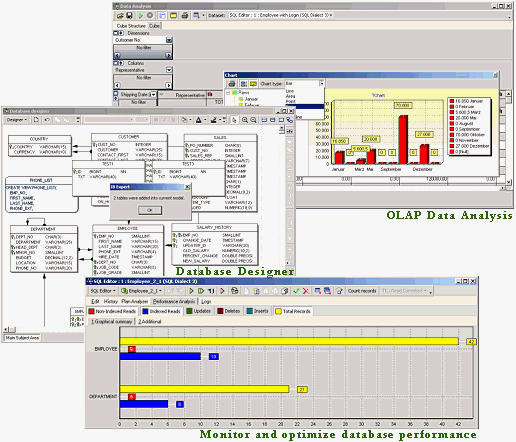
IBExpert includes many coding tools and features: visual editors for all database objects, an SQL Editor and Script Executive, a Debugger for stored procedures and triggers, a Query Builder, a powerful Database Designer and even its own scripting language, IBEBlock. A list of further IBExpert features can be found below.
IBExpert is the most comprehensive GUI tool for Firebird and InterBase® on the market today.
IBExpert Developer Studio includes the following components:
Documentation & support
All our products are accompanied by a comprehensive online documentation as well as online tutorials in our Learning Center.
Purchase
You can find a summary of all IBExpert software products and prices under IBExpert products, services & prices.
If you have any further questions please mail register@ibexpert.net.
IBExpert Features
- Monitor and optimize database performance with the Plan Analyzer, Performance Analysis, SQL Monitor, Database Statistics, Recompute Selectivity of all Indices, Recompile Procedures and Triggers, global Stored Procedure/Trigger Operations Index analysis etc.
- For advanced queries use the IBExpert Script Executive, which also offers a wide range of useful script extensions, only available in IBExpert; or the Visual Query Builder, ideal for those gaining their first experience with SQL.
- Create your own database from a model, or a model from your existing database with the Database Designer, including layers, subject areas, autoroute, notation format, and much more.
- Comprehensive Data Analysis / OLAP for cross-classified tables, statistics and graphics – all exportable in a number of formats.
- Copy, move or compare data and even join tables – all from different databases in a single script using IBEBlock.
- With IBEBlock you have a powerful set of DDL, DML and other statements executed on both the server and client side, and which include some specific constructs applicable only in IBExpert or IBEScript, regardless of the database server version.
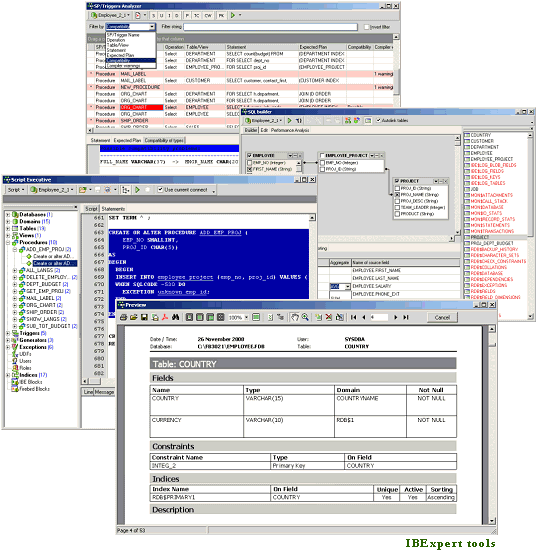
- Speed up and optimize your procedure and trigger programming with the Stored Procedure and Trigger Debugger; use the Assistant for their creation from any SQL statements; analyze using the Stored Procedure, Trigger and View Analyzer.
- User-defined or ready-made reports for database documentation, which can be stored in the database or as a file (PDF, Word etc.). Quick and simple HTML database documentation can be produced with just a few simple mouse clicks!
- Extract Metadata to create a copy of your database, with or without data content.
- Integrated Communications Diagnostic.
- Export of results in several formats; direct CSV file and ODBC data import.
- User and Grant Manager, with Autogrant function for automatic assignment of privileges for new database objects.
- See what's really happening in your database using IBExpert's Log Manager or the Trace and Audit Services (since Firebird 2.5).
- Hyperlinks, Code Completion, Assistants and many other features to speed up your development.
- Flexible user-definable interface – customize your screen, projects, code templates etc.
- Numerous product constellations to meet your requirements: Single and mutli-user software packages, Day Edition and free Personal and Educational versions.
- Regular fully-documented updates. Quick support of new Firebird features.
- Comprehensive documentation (context-sensitive, online and in printed form), online tutorial videos and active forum support.
- Multilingual.
- With full Unicode support.
- … and much, much more!
IBEScript.exe
All registered IBExpert Developer Studio versions (except the IBExpert Day Edition and the free IBExpert Developer Studio Educational Edition) include IBEScript.exe for your own script and IBEBlock development. This is also offered as part of the IBExpert Server Tools, for scripts and IBEBlock deployment on customer computers.
IBExpertDemoDB
Another component included in the Developer Studio is the IBExpertDemoDB database, which can be used for benchmark and performance testing.
Documentation & support
All our products are accompanied by a comprehensive online documentation as well as online tutorials in our Learning Center.
Purchase
You can find a summary of all IBExpert software products and prices under IBExpert products, services & prices.
If you have any further questions please mail register@ibexpert.net.
Das einzige Werkzeug, das Sie brauchen werden
Sie entwickeln SQL-Datenbanken professionell und benötigen ein effizientes und leistungsstarkes Werkzeug? Mit IBExpert haben Sie die richtige Wahl getroffen. Sie werden sich in kürzester Zeit mit seinen Funktionen vertraut machen können und so Ihre Open-Source-Datenbank Firebird und das kommerzielle Gegenstück InterBase® beherrschen. Ob Sie die Kontrolle handcodierter DML oder DDL Anweisungen oder das Arbeiten in einer optischen Entwicklungsumgebung bevorzugen, IBExpert macht Ihnen den Anfang leicht und bietet Ihnen hervorragende Werkzeuge zur Beschleunigung und Erweiterung Ihrer Arbeit.
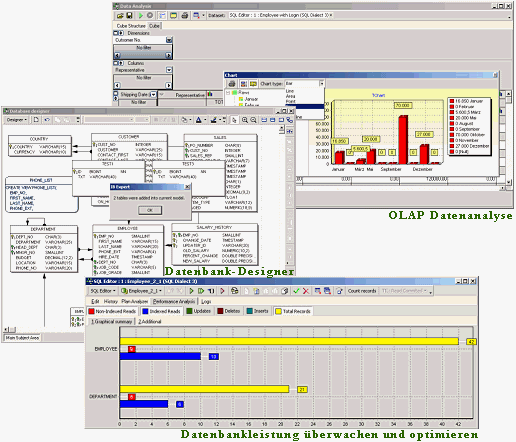
IBExpert enthält viele Codierwerkzeuge und Features: optische Editoren für alle Datenbankobjekte, ein SQL Editor und Skriptausführung, ein Debugger für Stored Procedures und Trigger, ein Abfragegenerator, einen leistungsstarken Datenbank-Designer und sogar die eigene Skriptsprache IBEBlock. Einen Überblick über alle IBExpert Features finden Sie hier.
IBExpert ist das umfassendste GUI Tool für Firebird und InterBase® auf dem heutigen Markt.
IBExpert Developer Studio beinhaltet folgende Komponenten:
Dokumentation & Support
IBExpert stellt eine umfassende Online Dokumentation sowie Online-Tutorials in unserem Learning Center zur Verfügung.
Bestellen
Eine Übersicht aller IBExpert Produkte und Diensteistungen finden Sie unter Alle Produkte & Preise.
Wenn Sie weitere Fragen haben, senden Sie bitte eine Mail an register@ibexpert.net.
IBExpert Features
- Überwachen und optimieren Sie die Datenbankgeschwindikeit mit der Plananalyse, Leistungsanalyse, SQL Monitor, Datenbankstatistik, Neuberechnung der Selektivität aller Indizes, Rekompilierung von Prozeduren und Triggern, globale Stored Procedure/Triggeroperationen, Indexanalyse etc.
- Verwenden Sie für komplexere Abfragen die IBExpert Skriptausführung, die über eine große Bandbreite an nützlichen Skripten verfügt, die nur in IBExpert erhältlich sind; oder der visuelle Abfragegenerator, ideal für diejenigen, die Ihre ersten Erfahrungen mit SQL machen.
- Erzeugen Sie Ihre eigene Datenbank von einem Modell, oder mit dem Datenbankdesigner ein Modell von Ihrer vorhandenen Datenbank, inklusive Layers, Themenbereiche, Autoroute, Benachrichtigungformat und vieles mehr.
- Umfassende Datenanalyse / OLAP für Kreuztabellen, Statistiken und Graphiken – alles exportierbar in viele Formate.
- Kopieren, verschieben oder vergleichen Sie Daten und verbinden Sie Tabellen – alles von verschiedenen Datenbanken in einem einzigen Skript mit IBEBlock.
- Mit IBEBlock haben Sie ein leistungsstarker Satz von DDL-, DML- und anderen Anweisungen, die auf der Server- und auf der Clientseite ausgeführt werden und die einige spezifische Konstruktionen enthalten, die nur in IBExpert oder IBEScript anwendbar sind, unabhängig von der Datenbankserverversion.
- Beschleunigen und optimieren Sie Ihre Prozeduren und Trigger durch Programmierung mit Stored Procedure und Trigger Debugger; verwenden Sie den Assistenten für deren Erzeugung aus einer SQL-Anweisung; analysieren Sie mit der Stored Procedure-, Trigger- und Viewanalyse.
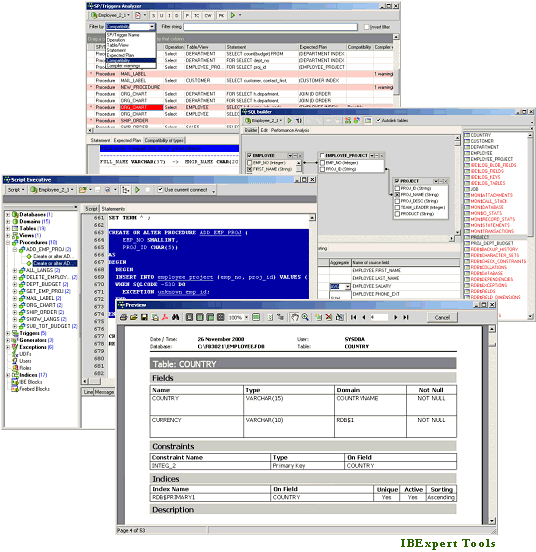
- Benutzerdefinierte oder vorgefertigte Berichte zur Datenbankdokumentation, die in der Datenbank oder als Datei (PDF, Word etc.). gespeichert werden können. Schnelle und einfache HTML-Datenbankdokumentation kann mit wenigen Mausklicks hergestellt werden!
- Extrahieren Sie Metadaten, um eine Kopie Ihrer Datenbank mit oder ohne Inhalt zu erstellen.
- Integrierte Kommunikationsdiagnose.
- Exportieren der Ergebnisse in verschiedene Formate; direkter CSV-Datei und ODBC-Datenimport.
- Benutzer- und Rechtemanager, mit Autogrant-Funktion zur automatischen Zuweisung von Rechten für neue Datenbankobjekte.
- Überwachen Sie Ihrer Datenbank mit Hilfe von den IBExpert Trace und Audit Services (seit Firebird 2.5).
- Hyperlinks, Codeergänzung, Assistenten und viele andere Features zur Beschleunigung Ihrer Entwicklung.
- Flexible benutzerdefiniertes Interface – passen Sie Ihren Bildschirm, Ihre Projekte, Code-Templates an etc.
- Zahlreiche Produktvarianten auf Ihre Bedürfnisse zugeschnitten: Einzel- und Multi-User Software Pakete, Day Editions, die IBExpert Developer Studio Company Year Edition und IBExpert Enterprise Server Year Edition für das Arbeiten in virtuellen Umgebungen, eine kostenlose Personal Edition und Schul-/Bildungsversion.
- Regelmäßige voll-dokumentierte Updates. Schnelle Unterstützung von neuen Firebird Features.
- Umfassende Online-Dokumentation, Online Lernvideos und aktiven Forum Support.
- mehrsprachig
- mit vollständigem Unicode-Support
- … und vieles, vieles mehr!
IBEScript.exe
Alle registrierten IBExpert Developer Studio Versionen (ausgenommen die IBExpert Day Edition und die kostenlose IBExpert Developer Studio Educational Edition) beinhalten die IBEScript.exe für die eigene Entwicklung von Skripten und IBEBlocks. Dies wird auch als Teil der IBExpert Server Tools angeboten, für den Einsatz Ihrer Skripte und IBEBlocks auf Kundenrechnern.
IBExpertDemoDB
Eine weitere Komponente, die im Developer Studio enthalten ist, ist die IBExpertDemoDB Datenbank, die als Benchmark und Leistungstest verwendet werden kann.
Dokumentation & Support
IBExpert stellt eine umfassende Online Dokumentation sowie Online-Tutorials in unserem Learning Center zur Verfügung.
Bestellen
Eine Übersicht aller IBExpert Produkte und Diensteistungen finden Sie unter Alle Produkte & Preise.
Wenn Sie weitere Fragen haben, senden Sie bitte eine Mail an register@ibexpert.net.
Software
You can find a summary and prices of all our software products and services here.
IBExpert Developer Studio Software
IBExpert Developer Studio is the most comprehensive GUI tool for Firebird and InterBase on the market today. It includes the following components: IBExpert IDE, IBEScript.exe, and IBExpertDemoDB.
IBExpert Developer Studio Edition
If you want to run IBExpert on a physical computer, then the IBExpert Developer Studio Edition is the right choice. Depending upon the number of users, you can select the appropriate package. Details
The IBExpert Day Edition is the ideal supplement to all IBExpert full versions, ready for use on all computers at any time. Details
IBExpert Year Editions
Use the IBExpert IDE, IBEScript.dll, IBEScript.exe, and the BackupRestore Scheduler modules on your company machines, in virtual environments and/or in the cloud, without hardware-related unlock codes. There are two year editions:
Software rental: IBExpert Company Year Edition
Software rental: IBExpert Enterprise Server Year Edition
Important: Before purchasing a Year Edition we kindly ask you to fill in the IBExpert Year Edition Corporate Information in the IBExpert Download Center. Enter all information about your company / group of companies in full, as well as all locations with addresses, and do not forget to check the box I confirm the accuracy of the above information and agree to immediately notify IBExpert of any changes before saving. Please update your data regularly, preferably once a year. Further information can be found in our online documentation.
The IBExpert Server Tools include IBEScript exe and dll, hkSCC.exe, the IBExpert Backup/Restore Scheduler and the IBExpert Encryption Plugin on Win32/Win64. The IBExpert Server Tools can also be deployed on virtual machines or in a cloud infrastructure. Details
IBExpert Distribution OEM Edition
The IBExpert Distribution OEM Edition allows unlimited distribution of the IBExpert IDE software file or IBExpert scripts with your application for a period of 5 years.
Our optimal solution for all businesses for flexible and independent working with IBExpert on all physical or virtual computers without activation codes and without an active internet connection. Details
IBExpert Encryption OEM Edition
The IBExpert Encryption Plugin for Firebird enables you to securely encrypt your Firebird 3 - 5 databases (also embedded). Details
New! IBExpert Replicator Enterprise IBER
Add real-time replication to any Firebird database without any downtime. Details
This new library basically covers almost all of the UDF functions currently available in FreeAdhocUDF and rFunc, adapted for Firebird 3 onwards. Details
IBExpert Developer Studio Full Educational Edition
The IBExpert Developer Studio Full Educational Edition is a full IBExpert Developer Studio version. Details
You can find a summary and prices of all our software products and services here.
Risks of business software as a cloud solution
Firebird White Paper
Holger Klemt, January 2026
What should you do if your Porsche won't start or your cloud ERP is no longer usable?

Some readers will no doubt have already read the recent articles about dissatisfied Porsche customers in Russia whose vehicles no longer start, because a globally implemented anti-theft device in the vehicle permanently blocks the vehicle as a precautionary measure due to a lack of cloud access and shuts off the fuel supply in such a way that it cannot be circumvented with simple tricks, even though some providers have already offered workarounds. Porsche has sanctioned all support for Russia for good reasons, so no solution should be expected from that side.
What does this story have to do with a cloud ERP solution?
Well, sooner or later, a number of customers will surely notice this as well.
The idea for this White Paper was triggered by the decision of a medium-sized German company that had been using a self-written Delphi/Firebird application at numerous locations and had expanded it over the course of the last 30 years, implementing processes specific to their needs. Not everything was perfect, but in the area of logistics in particular, constantly changing standards were implemented in such a way that they precisely met their requirements.